Visual To-Do List App
Description
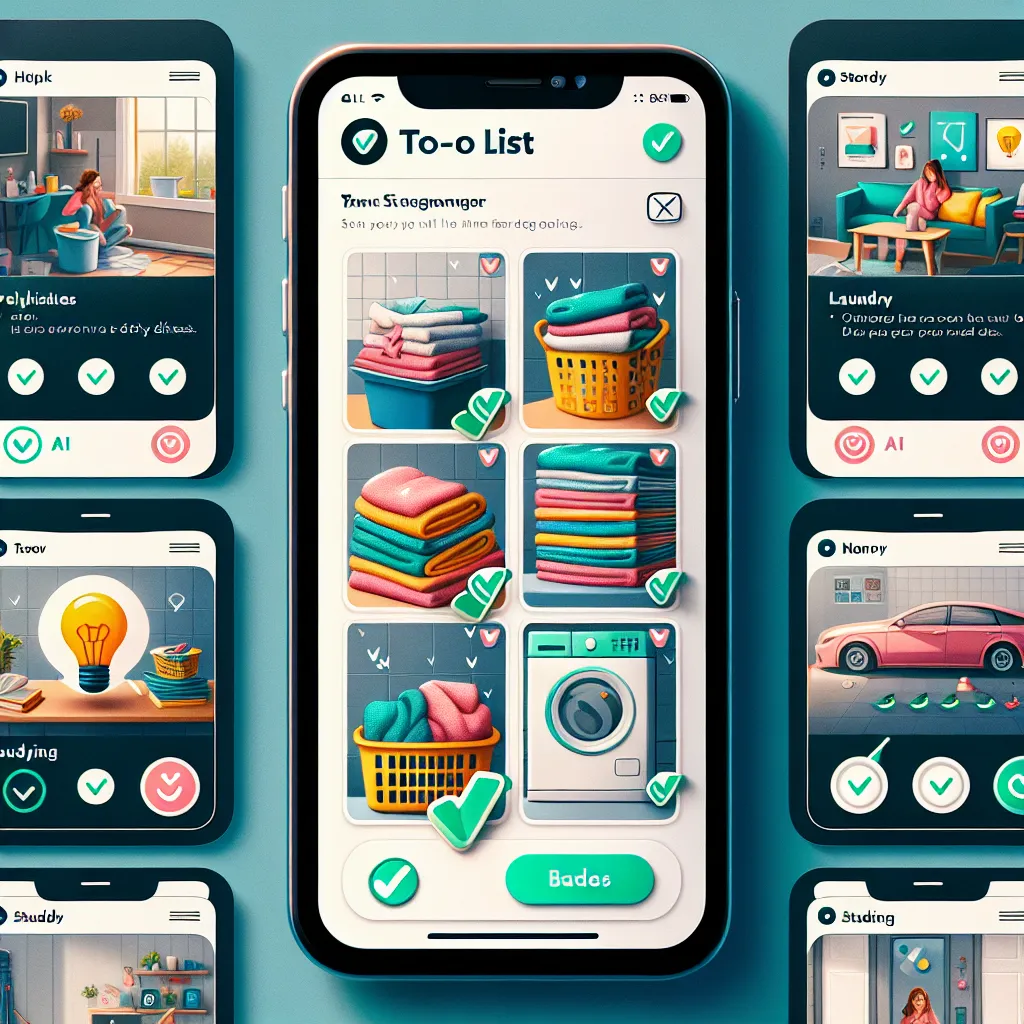
Visual To-Do List App: An app where users can take pictures of their tasks (e.g., dirty dishes, laundry) to create a visual to-do list that helps people with ADHD or others who need visual reminders. The app could include AI-generated tasks, reminders, and gamification features.
The Pitch
Concept: The Visual To-Do List App is designed for people who thrive on visual reminders and struggle with traditional text-based task management, particularly those with ADHD, memory challenges, or simply those who prefer a more engaging way to organize their tasks. The app allows users to take photos of tasks they need to complete (e.g., dirty dishes, laundry, unfinished projects), creating a visual to-do list that’s easy to understand at a glance. It incorporates AI-generated task suggestions, smart reminders, and gamification features to keep users motivated and on track.
Core Features:
Photo-Based Task Creation:
Users can quickly snap a photo of the task or chore they need to complete. These images form the basis of the to-do list, providing an intuitive and easy-to-understand reminder. Each photo can be annotated with brief notes or tags to categorize tasks (e.g., "kitchen," "work," "urgent"), and the app automatically timestamps when the photo was taken. AI Task Suggestions:
The app uses AI to analyze the photos and suggest relevant tasks. For example, if a user uploads a photo of dirty dishes, the AI might suggest tasks like "Wash Dishes," "Clean Counter," or "Load Dishwasher." Over time, the AI learns user preferences and habits, offering more personalized and accurate task suggestions based on previous behavior and routines. Smart Reminders:
The app includes a customizable reminder system that nudges users to complete tasks at optimal times. For instance, it might remind you to do the dishes after dinner or fold laundry when you're typically home from work. Reminders can be based on time, location (e.g., when you enter a specific room), or even photo analysis (e.g., a cluttered desk might trigger a reminder to clean your workspace). Users can set recurring reminders for daily, weekly, or monthly tasks, ensuring that routine chores are never forgotten. Progress Tracking and Before/After Photos:
The app allows users to take "before" and "after" photos of their tasks. This feature provides a visual sense of accomplishment and progress, which is especially motivating for users who benefit from seeing tangible results. The app can also create time-lapse animations or galleries showing a week or month’s worth of completed tasks, offering a rewarding overview of all the progress made. Task Prioritization:
Users can easily drag and drop photos to rearrange their tasks based on priority. The app also offers a visual cue (e.g., a red border around urgent tasks) to highlight time-sensitive or important tasks. The AI can help prioritize tasks by analyzing patterns in task completion, suggesting which tasks should be done first based on urgency or the user's past behavior. Gamification and Rewards:
The app includes gamification features to keep users engaged. Completing tasks earns points, which can unlock rewards such as new themes, badges, or even discounts on products through partnerships. Users can set personal goals, such as completing a certain number of tasks per day or week, and earn achievements when they reach milestones. Social features allow users to compete with friends or family members in task challenges, turning productivity into a fun and motivating experience. Community and Sharing:
Users can share their completed tasks or progress with friends, family, or a broader community. This feature is especially useful for accountability or receiving encouragement from others. The app can integrate with social media platforms, allowing users to share their task accomplishments or even participate in community-wide challenges (e.g., a spring cleaning challenge where users post their before/after photos). Personalized Daily Summary:
Each day, the app generates a personalized summary, highlighting completed tasks, pending tasks, and suggestions for the day. This helps users stay organized and plan their day more effectively. The summary can also include motivational quotes or tips for productivity, tailored to the user’s preferences and past performance. Visual Timelines and Calendars:
Users can view their tasks in a visual timeline or calendar format. The app organizes tasks chronologically, showing when photos were taken and when tasks were completed. This feature helps users plan their week by visually blocking out time for specific tasks, reducing the cognitive load of organizing multiple responsibilities. Accessibility Features:
The app includes accessibility options such as voice commands for creating tasks, larger text options, and colorblind-friendly modes. It can also integrate with smart home devices (e.g., smart speakers or lights) to provide voice-activated reminders or visual cues around the house. Integration with Existing Tools:
The app can sync with existing calendar apps, task managers, or smart home devices to provide a cohesive productivity ecosystem. For instance, users could link the app to their Google Calendar or sync it with task apps like Todoist. Integration with wearable devices like smartwatches could allow for on-the-go reminders and task management. Mood and Energy Tracking:
The app can optionally track the user’s mood and energy levels. Users can log how they feel when completing tasks, and the AI can suggest optimal times to tackle different tasks based on past mood and energy trends. This feature can be particularly beneficial for users who struggle with motivation, helping them recognize patterns and adjust their routines for better productivity. Target Audience:
People with ADHD or Neurodivergent Individuals: Those who struggle with traditional task management tools and need visual, interactive methods to stay organized. Busy Professionals and Parents: Individuals juggling multiple responsibilities who want a more intuitive way to manage their tasks. Students: Younger users who benefit from gamified learning and visual organization techniques. Seniors and Caregivers: People who may struggle with memory and need simple, clear reminders for daily tasks. Revenue Model:
Freemium Model: The app offers basic features for free, with premium features (such as AI task suggestions, advanced reminders, and exclusive gamification rewards) available through a subscription.
In-App Purchases: Users can purchase additional themes, avatars, or extra storage for their photo library.
Partnerships and Advertising: Partner with productivity tools, smart home devices, or wellness brands to offer integrated services or targeted ads based on user habits.
Premium Community Access: A paid tier could offer access to exclusive community challenges, expert productivity tips, or advanced features like mood tracking.
Unique Selling Points:
Visual Focus: Unlike traditional text-based to-do lists, this app offers a photo-first approach, catering to users who respond better to visual cues. Personalization: The AI learns from user behavior and tailors task suggestions and reminders, making the app more effective over time. Engagement through Gamification: The app turns productivity into a fun experience, motivating users through points, rewards, and social challenges. Seamless Integration: The app can work alongside existing tools and devices, making it easy to incorporate into a user’s daily routine. Competitor Analysis:
While there are task management apps and habit trackers on the market, few focus on visual task creation and photo-based reminders. This app differentiates itself by offering a unique combination of visual tools, AI assistance, and gamification tailored specifically for users who need more engaging and intuitive productivity solutions. Potential Challenges:
AI Accuracy: Ensuring the AI can accurately interpret photos and suggest relevant tasks could be challenging, especially for complex or ambiguous images.
Privacy Concerns: Users may have concerns about storing photos of their personal spaces and tasks. Offering robust privacy controls, local storage options, and clear data usage policies will be essential.
User Engagement: While the app’s concept is innovative, maintaining user engagement over the long term will require continuous updates, new features, and fresh content to keep the experience exciting.
Next Steps:
Prototype Development: Build a prototype focusing on core features like photo-based task creation, AI task suggestions, and basic reminders.
User Testing: Conduct focus groups and beta testing with target audiences, particularly individuals with ADHD or those who prefer visual learning, to gather feedback and refine the app’s functionality.
AI and Machine Learning: Collaborate with AI developers to train the app’s algorithms, ensuring it can accurately interpret a wide range of images and provide relevant suggestions.
Marketing Campaign: Launch targeted marketing campaigns that highlight the app’s unique features, focusing on communities that could benefit most from visual task management.