Dynamic AR Workspace for Intuitive Productivity
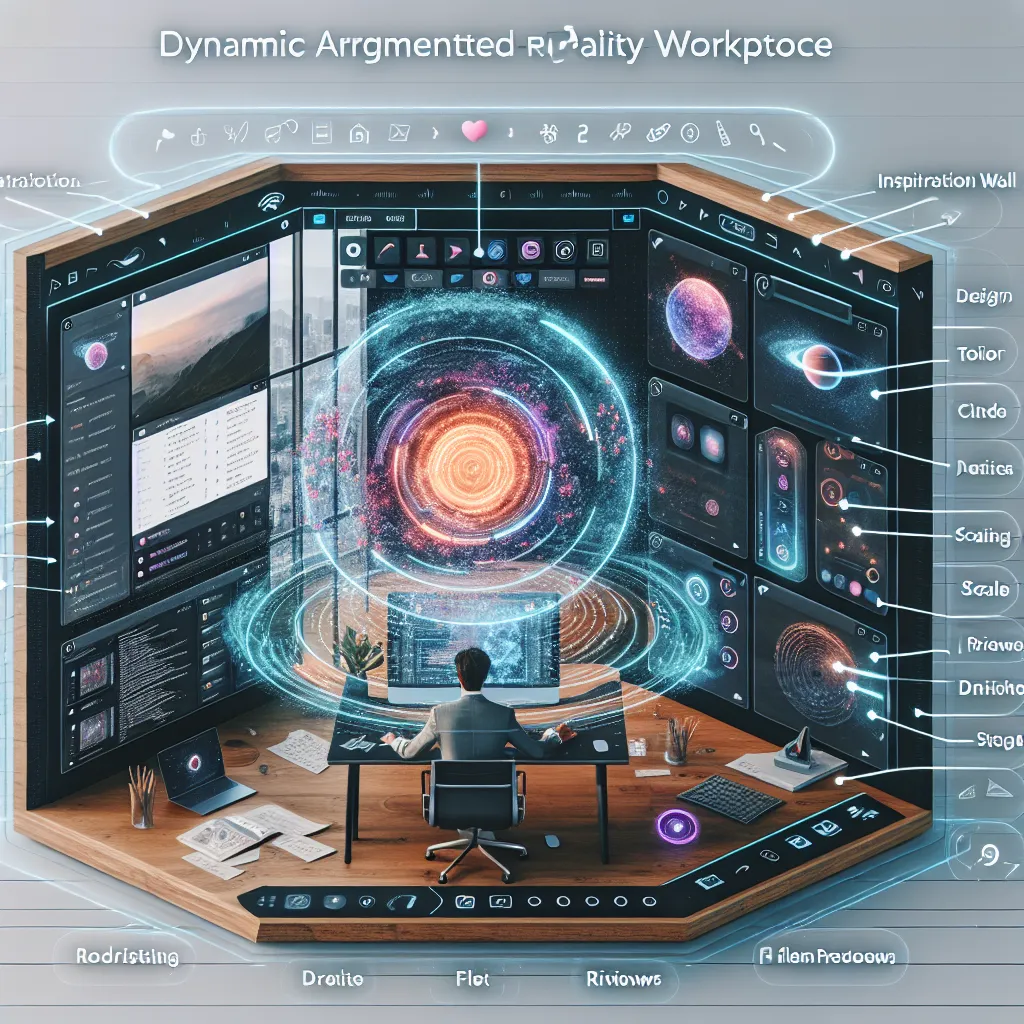
Working across multiple tools in AR still feels clunky and disconnected. Even with Apple Vision Pro’s windowing updates, users lack fluid, intuitive spatial layouts for different tasks. The solution is a startup that builds a dynamic AR workspace layer — letting users create intelligent “zones” (coding, writing, design) where apps reposition and scale based on activity. This system uses on-device AI to detect behavior, gestures, and focus — turning Vision Pro into a productivity cockpit. The timing is right: Apple just added full app window support in spatial computing, and their new Apple Intelligence APIs allow for dynamic UI reactions. For example, a designer working in Figma could have an inspiration wall to the left, design tools center, and file previews right — with apps shifting as they sketch or zoom. Unlike Apple’s static interface, this adapts like a smart assistant for your virtual desk.
Description
No additional description provided.
The Pitch
Visionary entrepreneurs now have a golden opportunity to revolutionize the augmented reality (AR) workspace with a highly adaptive and intelligent AR application. Despite the advances in technology, working across multiple tools in AR often remains a fragmented experience, lacking the seamlessness that users desire. Even with the Apple Vision Pro’s recent windowing updates, users still yearn for more fluid and intuitive spatial layouts tailored to their specific tasks.
**The Problem**: Current AR experiences, even on advanced platforms like Apple Vision Pro, offer static interfaces that fall short of delivering a truly immersive and efficient workspace. Users are still confined to managing apps in a manner that feels disjointed and clunky. The inability to fluidly transition between tasks — whether coding, writing, or designing — hampers productivity and limits the potential of AR as a tool for professionals.
**The Solution**: Imagine a startup that introduces a dynamic AR workspace layer where intelligent zones can be created according to the task at hand. This solution leverages on-device AI to detect user behavior, gestures, and focus areas, transforming devices like the Vision Pro into fully functional productivity cockpits. For instance, a designer using Figma could instantly have an inspiration wall on one side, central design tools right in front, and file previews placed strategically — all automatically adjusting as they sketch or zoom.
**Product Details**: This cutting-edge system would use Apple’s new Intelligence APIs to enable reactive and dynamic UI adjustments. Unlike static interfaces, this application acts like a smart assistant, intelligently repositioning, scaling, and modifying app views based on user activity and intention. As a result, users enjoy a highly personalized and efficient spatial computing experience, streamlined for peak productivity.
**Tools for MVP**: To get started with building this innovative product, potential builders should consider leveraging:
1. **AR Development Platforms**: Use platforms like Unity or ARKit to create the foundational AR environment. 2. **Machine Learning Frameworks**: Deploy frameworks such as TensorFlow Lite or Apple’s Core ML to develop on-device AI capabilities. 3. **Prototyping Tools**: Utilize tools like Sketch or Figma to design UI mockups before development.
**Go-To-Market Strategy (GTM)**:
- **Target Audience**: Position the product for creative professionals and tech-savvy individuals who are early adopters of AR technology. - **Partnerships**: Collaborate with AR hardware manufacturers and app developers to ensure compatibility and mutual promotion. - **Sales Channels**: Utilize online marketplaces and app stores for distribution, and initiate partnerships with tech retailers. - **Marketing Tactics**: Employ a mix of digital marketing strategies, including influencer partnerships, social media campaigns, and AR demo events, to showcase the product's unique capabilities.
**Business Model**:
- **Subscription Model**: Offer a subscription-based service with different tiers that provide varying levels of advanced features and support. - **Freemium Option**: Introduce a freemium version to attract users, with essential features free and premium functionalities as paid upgrades. - **Enterprise Packages**: Create tailored packages for businesses looking to empower their workforce with premier AR productivity tools.
In conclusion, this innovative AR application stands poised to transform the way users interact with digital spaces, providing a highly adaptive, intelligent, and intuitive productivity solution. Vision Pro users and beyond could soon experience a workspace tailored to their every movement and intention, driving both creativity and efficiency to new heights.